Your Digital World, Organized.
Stop buying new hard drives. File Sphere Pro finds wasted space, deletes duplicate files, and automatically organizes your messy folders so you don't have to.
Or, get a lifetime license on AppSumo:
Get The AppSumo Lifetime DealA Feature Set Built for Power Users
Explore the tools that will change the way you manage your files.
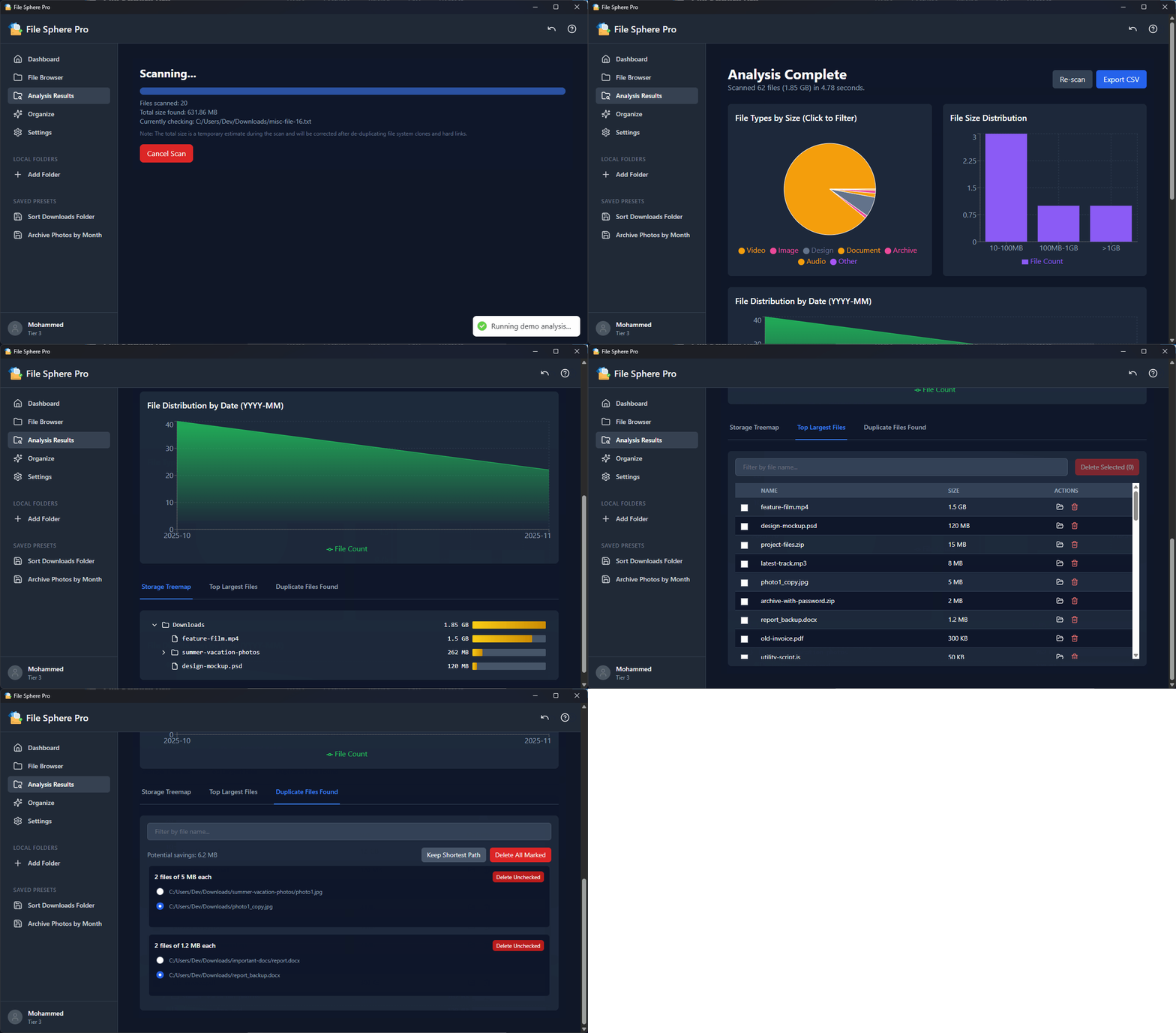
Deep File Analysis
Go beyond simple file lists. Scan any folder to get a comprehensive breakdown of its contents. Our interactive treemap helps you instantly identify large files and folders, while charts show you distributions by file type, size, and modification date.
- Visualize storage with an interactive treemap
- Analyze file types with a clickable pie chart
- Find the largest files to reclaim space
- Export any analysis to CSV for reporting
Powerful Duplicate Finder
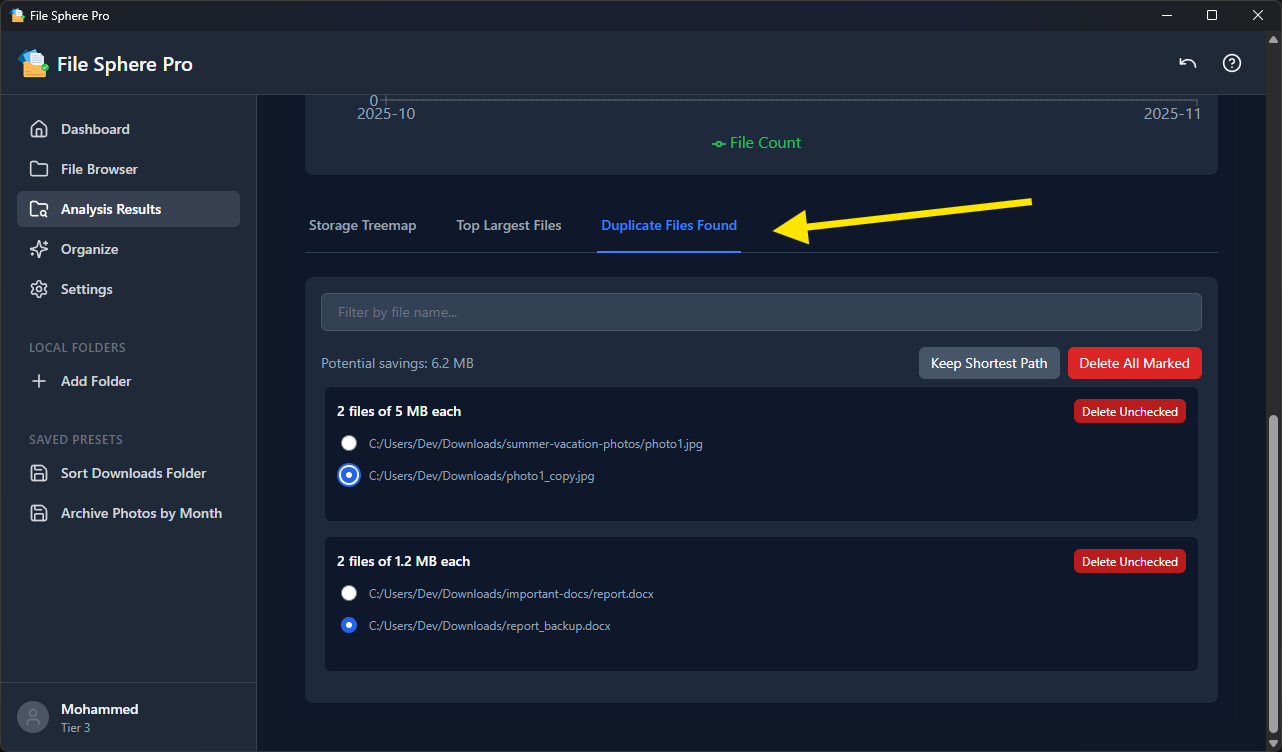
Stop wasting gigabytes on identical files. Our duplicate scanner uses a high-speed BLAKE3 hashing algorithm to compare file content, not just names or dates, guaranteeing accuracy. You can easily select which copies to keep (e.g., the one with the shortest path) and delete the rest in bulk, safely.
Blazing-Fast Global Search
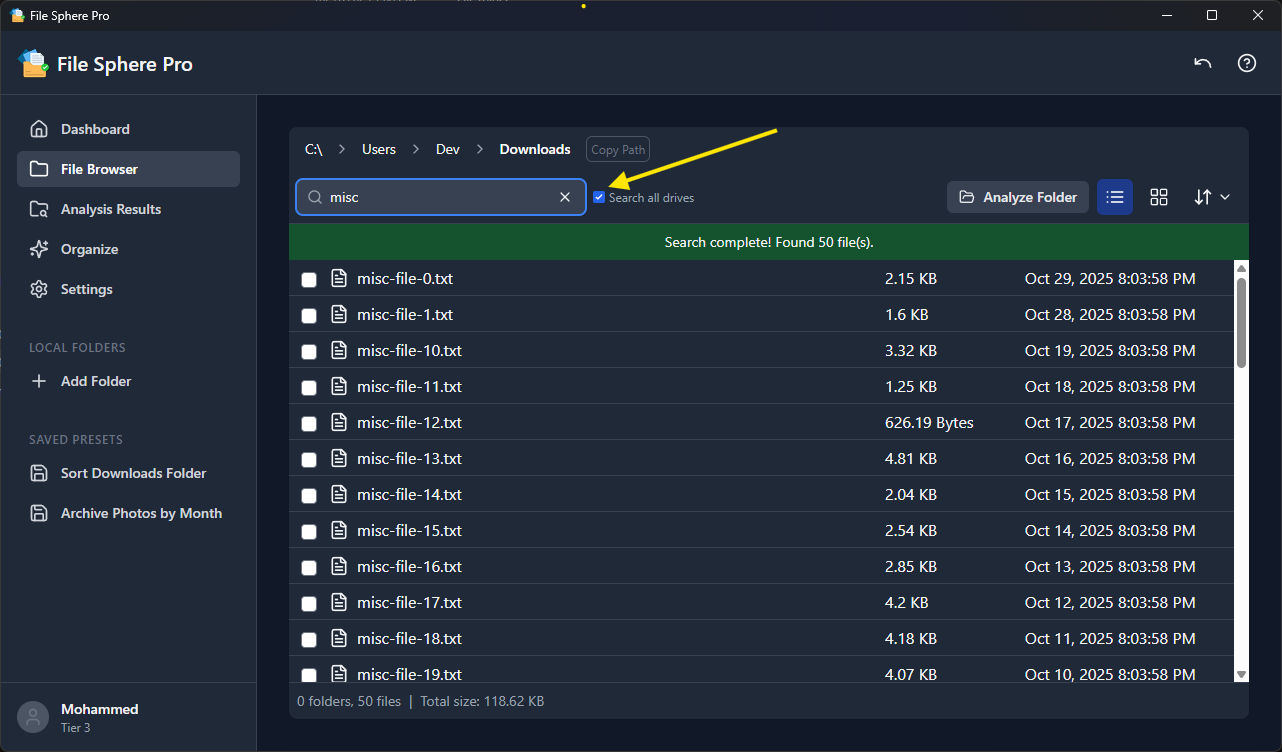
Find any file, anywhere, in seconds. File Sphere Pro builds a lightweight index of your files in the background, enabling you to search across all connected drives instantly. No more waiting for slow, system-wide searches to complete.
Automated Organization
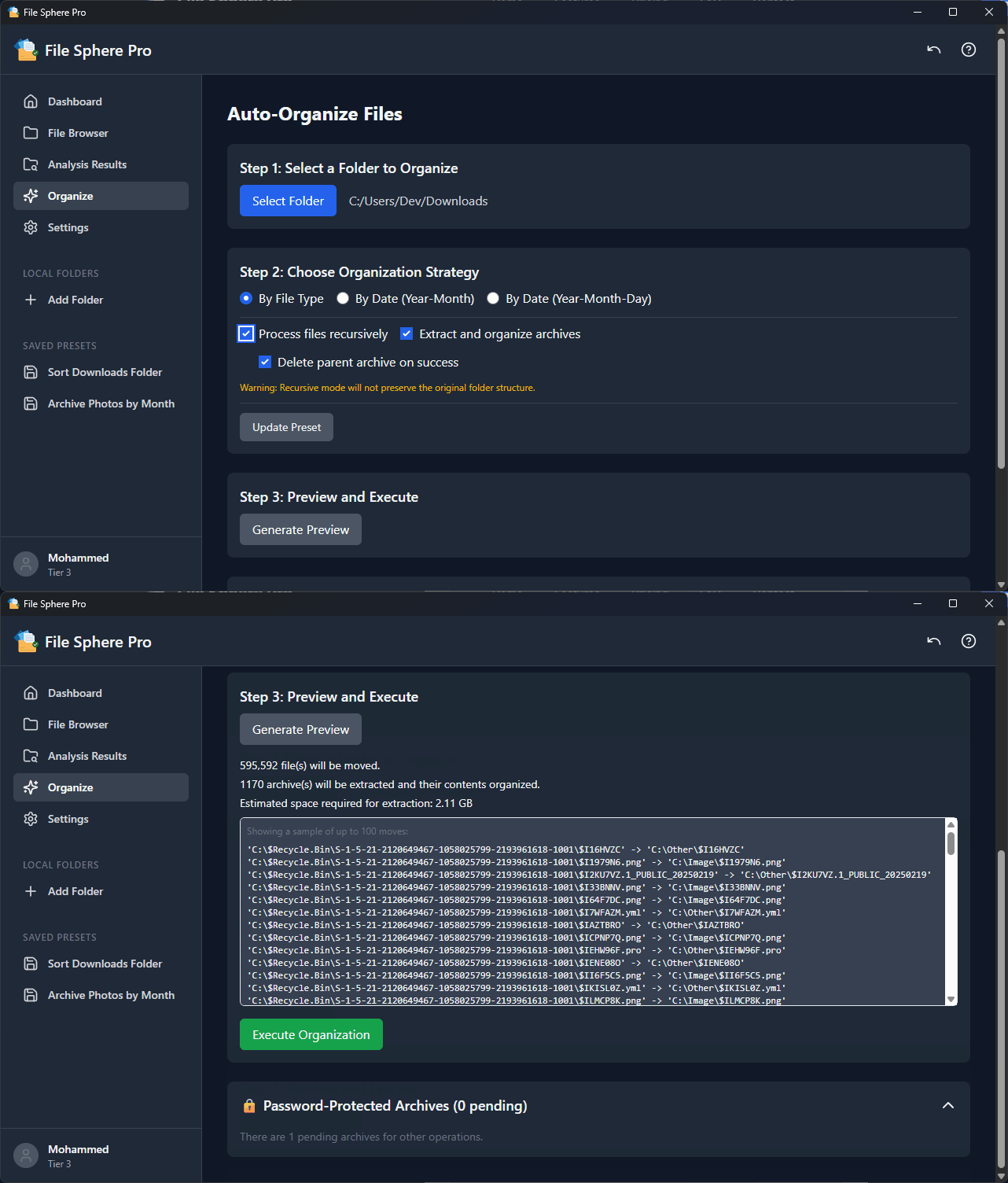
Is your Downloads folder a mess? Tame it with our organization engine. Sort thousands of files into folders based on their type (e.g., 'media', 'Documents') or modification date (e.g., '2025-11'). Save your favorite settings as a one-click Preset for future use.
Advanced Archive Handling
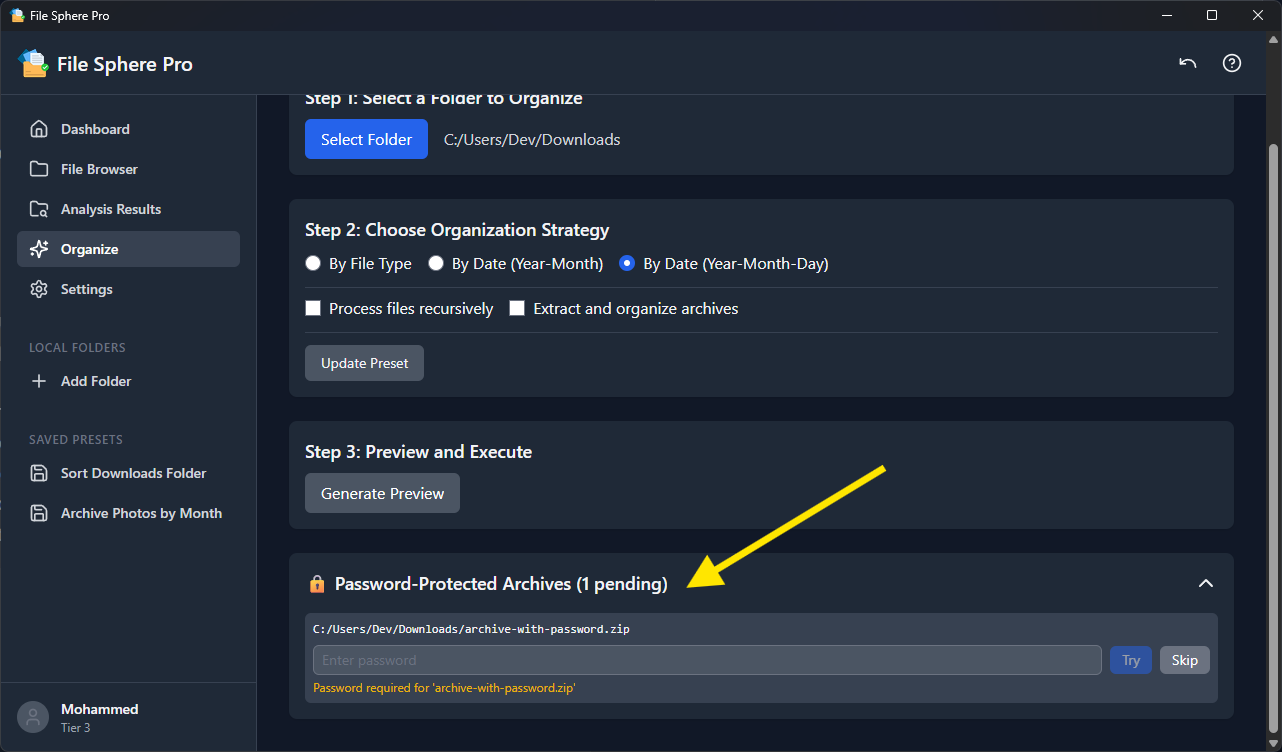
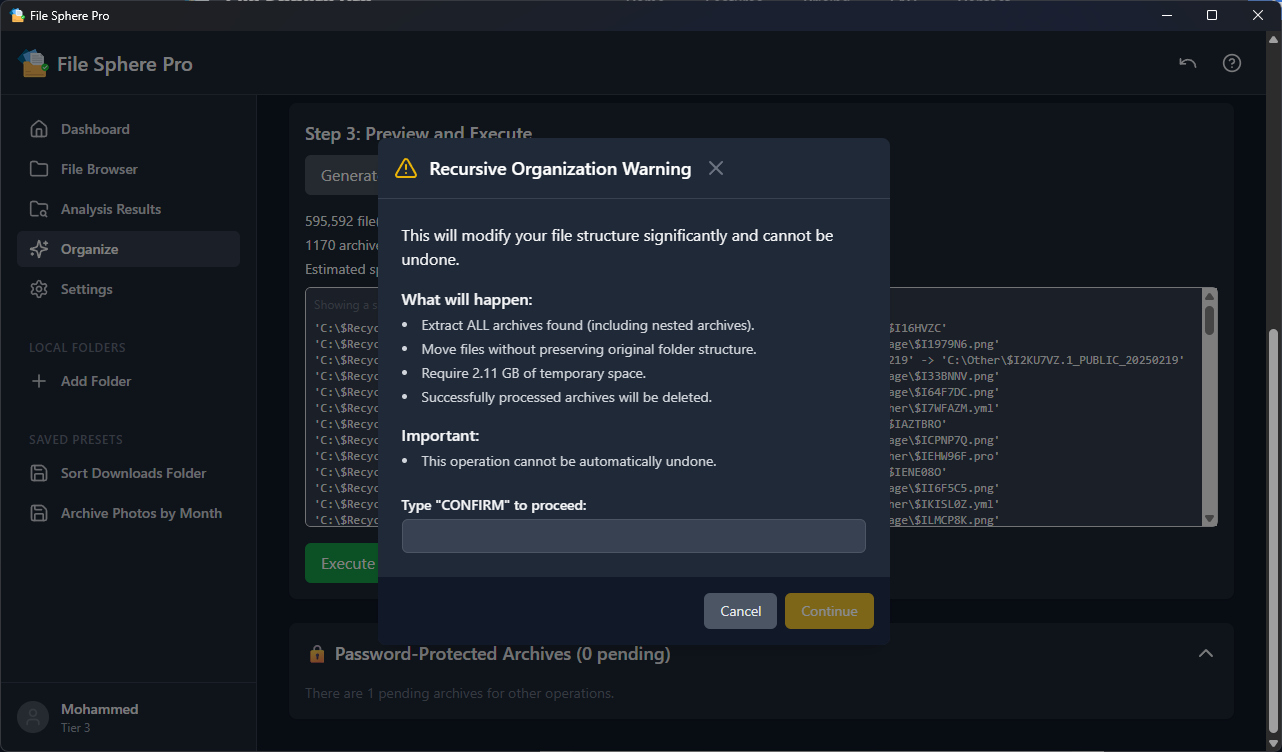
Archives are no longer black boxes. File Sphere Pro can inspect archive contents before extraction. More importantly, during an organization task, it can automatically extract archives, organize their contents, and even handle nested and password-protected archives intelligently.
Safe & Modern File Management
Manage your files with confidence. All operations show a preview of changes before they happen, and a powerful Undo function lets you reverse mistakes. The interface features list and grid views, drag-and-drop, keyboard shortcuts, and a robust context menu to make your workflow fast and efficient.
The Best Deal You'll Ever Get
Choose between a flexible annual plan or secure lifetime access with our limited-time AppSumo deal.
Personal
For personal use
- License for 1 computer
- All current features
- 1 year of future updates
Pro
Best value for multiple devices
- License for 5 computers
- All current features
- 1 year of future updates
- Roadmap influence
Agency
For power users & agencies
- License for 15 computers
- Everything in Pro
- Priority support
- Export reports (future)
Tier 1
For personal use
- License for 1 computer
- All current features
- 1 year of future updates
Tier 2
Best value for multiple devices
- License for 5 computers
- All current features
- Lifetime future updates
- Roadmap influence
Tier 3
For power users & agencies
- License for 15 computers
- Everything in Tier 2
- Priority support
- Export reports (future)
Your Questions, Answered
Everything you need to know about the lifetime deal, features, and security.
File Sphere Pro is a native desktop application that runs on Windows, macOS (Intel & Apple Silicon), and Linux, ensuring a consistent and high-performance experience across all major operating systems.
Yes! The AppSumo deal is a lifetime license (LTD). You pay once and own it forever, including all future updates as per your chosen tier.
Safety is our #1 priority. No files are ever deleted or moved without your explicit confirmation. All major operations show a preview of changes, and our Undo feature (Ctrl/Cmd+Z) lets you instantly reverse accidental deletions or moves.
File Sphere Pro builds a local index of your file names and paths for instant searching across all your drives. This index is stored securely on your computer and is never sent to any external server. Your file data remains completely private.
Our duplicate finder is 100% accurate because it uses a high-performance BLAKE3 hashing algorithm to compare the actual content of your files, not just names, dates, or sizes. This ensures you are only flagging true duplicates.
The backend is built in Rust for maximum performance and memory efficiency. The app is designed to scan and manage massive directories without freezing the UI. All long operations run in the background, and you can track their progress in the task panel.
Absolutely. While the app includes smart defaults, you can define your own custom categories and file extensions in the Settings menu. You can then save your entire organization workflow—including the source folder, strategy, and archive handling—as a one-click Preset.
The app supports extracting from a wide range of common formats, including .zip, .tar, .tar.gz, and .tar.bz2. During an organization task, it can automatically extract these archives, organize their contents, and even handle nested or password-protected files.
After purchase, you'll receive a license key. In the app, click on the "Unactivated" status in the bottom-left of the sidebar. Paste your key into the window that appears and click "Activate".